Procedure of Using DA Alignment Node
- Input Scene Cloud, a point cloud of scene.
This can be obtained from camera node, and be cropped by cloud process node.
- Input Model Cloud, a point cloud of object model.
The model point cloud is better to be saved int file, and loaded from reader node.
- Input Hypothesis, the initial guess of objects.
This input is a vector of poses, usually is obtained from reconstruct node.
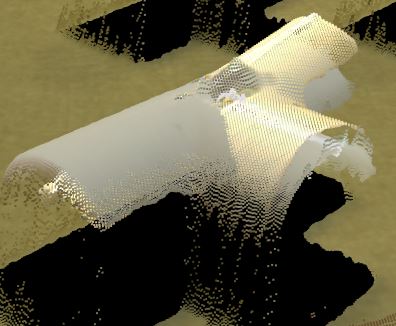
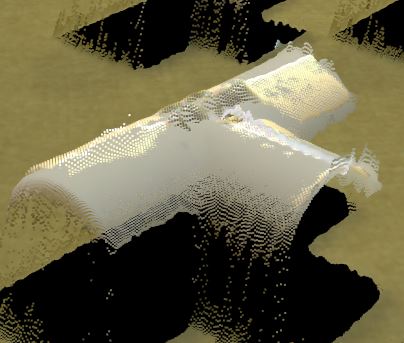
Run the node, you can check the display result to check if the alignment is good or bad.
The Node will output the aligned poses.
Parameter Tunning
- Use Model Box:
Specifies whether to use the model point cloud’s extraction box to limit the points during alignment.
- Error Metric:
Specifies the technique that the alignment algorithm uses to minimize the RMS error.
“POINT_TO_POINT” specifies that the technique minimizes the Euclidean distance between the points in the model and scene point clouds, with no special consideration to the normals to the surface of the point clouds.
“POINT_TO_PLANE + USE_SCENE_NORMALS” specifies to measure the distance between the tangent planes of the surface of the scene point cloud (calculated from the scene normals) and the points of the model point cloud.
“POINT_TO_PLANE + USE_MODEL_NORMALS” Specifies to measure the distance between the tangent planes of the surface of the model point cloud (calculated from the model normals) and the points of the scene point cloud. It can be beneficial to use the normals of the model point cloud when the model point cloud has fewer points than the scene point cloud, because fewer normals need to be calculated.
- Max Iterations:
the maximum iteration to stop. Fewer iteration will decrease accuracy and limit the running time.
DEFAULT: 20
VERY LOW: 5
LOW: 15
MEDIUM: 50
HIGH: 100
VERY HIGH: 200
- Model Overlap:
Range [1, 100].
Controls the percentage of model points used to pair with scene points during the alignment process.
MEDIUM (DEFAULT): 50
HIGH: 77
VERY HIGH: 97
- Down Sample Strength:
Range [1, 10].
Controls overall downsample intensity for the scene and model. Larger values mean stronger downsample.
LOW: 2
MEDIUM (DEFAULT): 4
HIGH: 8
- Decimation Step Model:
Step size used when downsampling the model.
- Decimation Step Scene:
Step size used when downsampling the scene.